Handwritten text recognition has always been one of the hardest problems in document processing.
Unlike printed text, handwriting varies by:
- Writing style
- Slant and spacing
- Ink quality
- Scan resolution
- Language mixing
If you're searching for OCR for handwritten documents, this guide compares modern solutions including:
- MinerU
- Google Cloud Vision OCR
- DeepSeek OCR
- Tesseract OCR
- PreOCR (CPU-optimized document detection engine)
Let’s break it down 👇
Why Handwritten OCR Is So Difficult
Handwriting recognition fails because:
- Characters merge (e.g., “cl” looks like “d”)
- Cursive writing breaks segmentation
- Background noise interferes
- Mixed printed + handwritten documents confuse OCR engines
That’s why modern OCR tools now use deep learning instead of rule-based extraction.
1️⃣ MinerU – Structured Document Intelligence
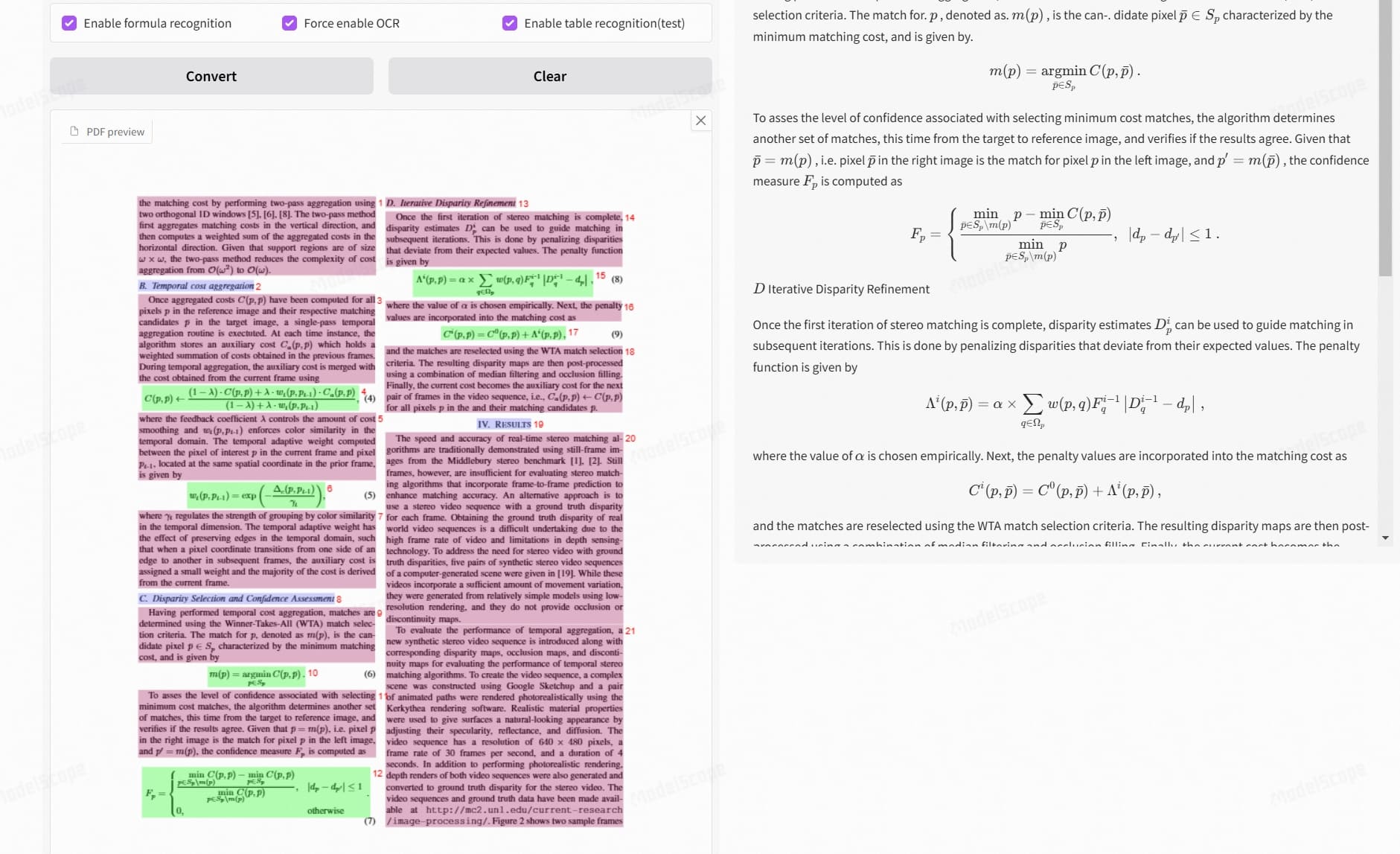

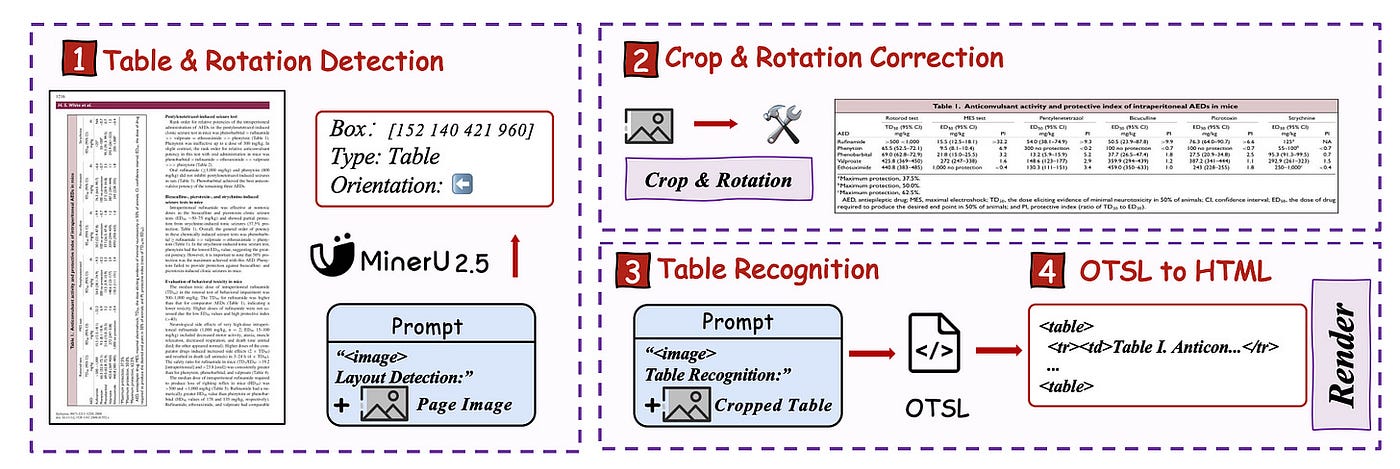
MinerU focuses on structured document extraction.
Strengths:
- Good at tables and layout parsing
- Works well for PDFs
- Strong document understanding
Limitations:
- Not specifically optimized for messy cursive handwriting
- Heavier setup
Best for: Structured business documents.
2️⃣ Google Cloud Vision OCR – Enterprise Grade
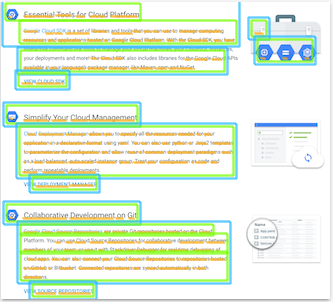
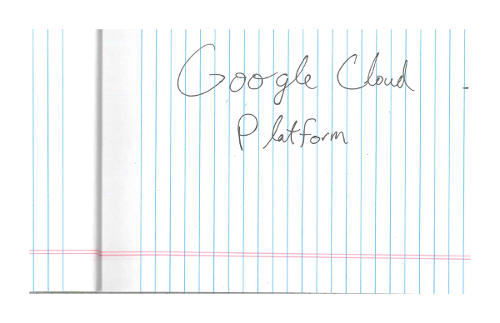
Google Cloud Vision OCR uses deep neural networks trained at massive scale.
Strengths:
- Excellent accuracy
- Supports handwritten detection
- Multi-language
Limitations:
- Paid API
- Cloud dependency
- Costs scale with usage
Best for: Enterprise apps where cost isn’t the primary concern.
3️⃣ DeepSeek OCR – New Generation AI Models
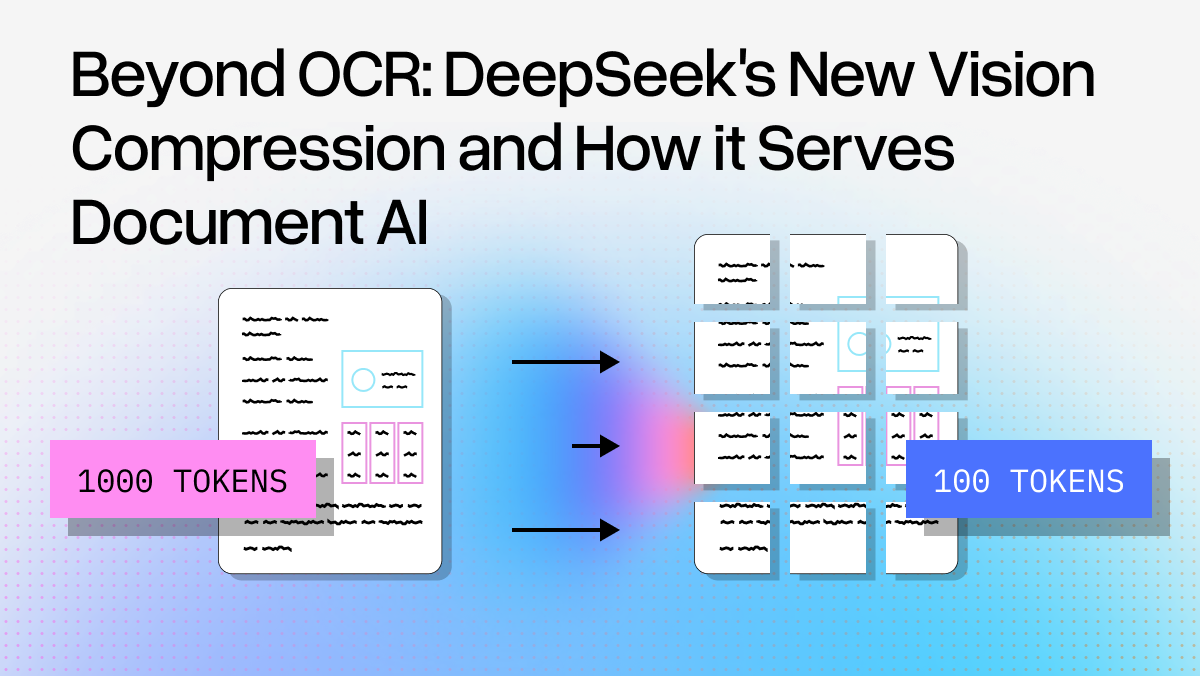
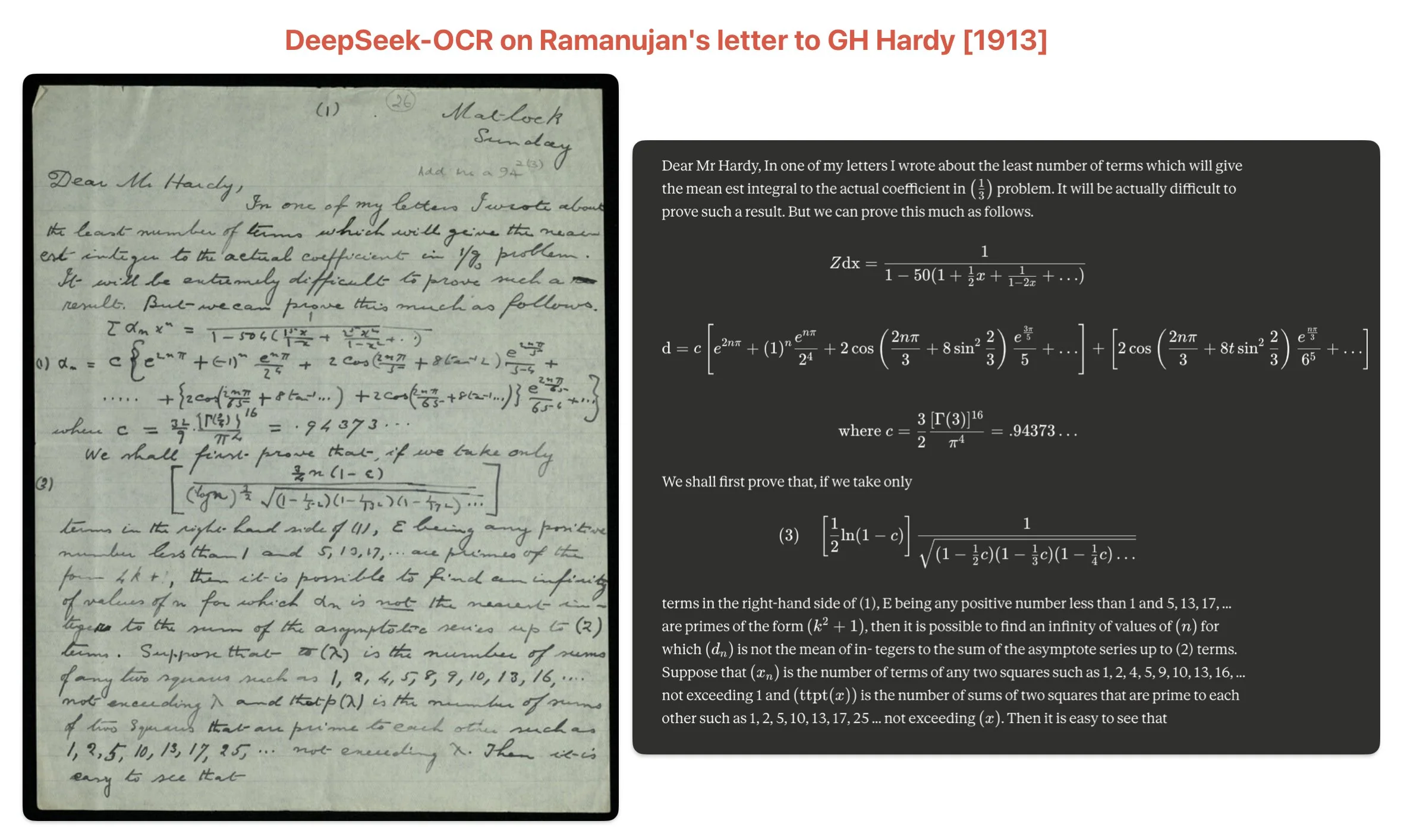
Deepseek OCRDeepSeek OCR leverages multimodal AI models.
Strengths:
- Strong contextual understanding
- Can reason about document content
- Handles messy text better than traditional OCR
Limitations:
- Still evolving
- Model size & compute requirements
Best for: AI-powered document workflows.
4️⃣ Tesseract OCR – Open Source Classic
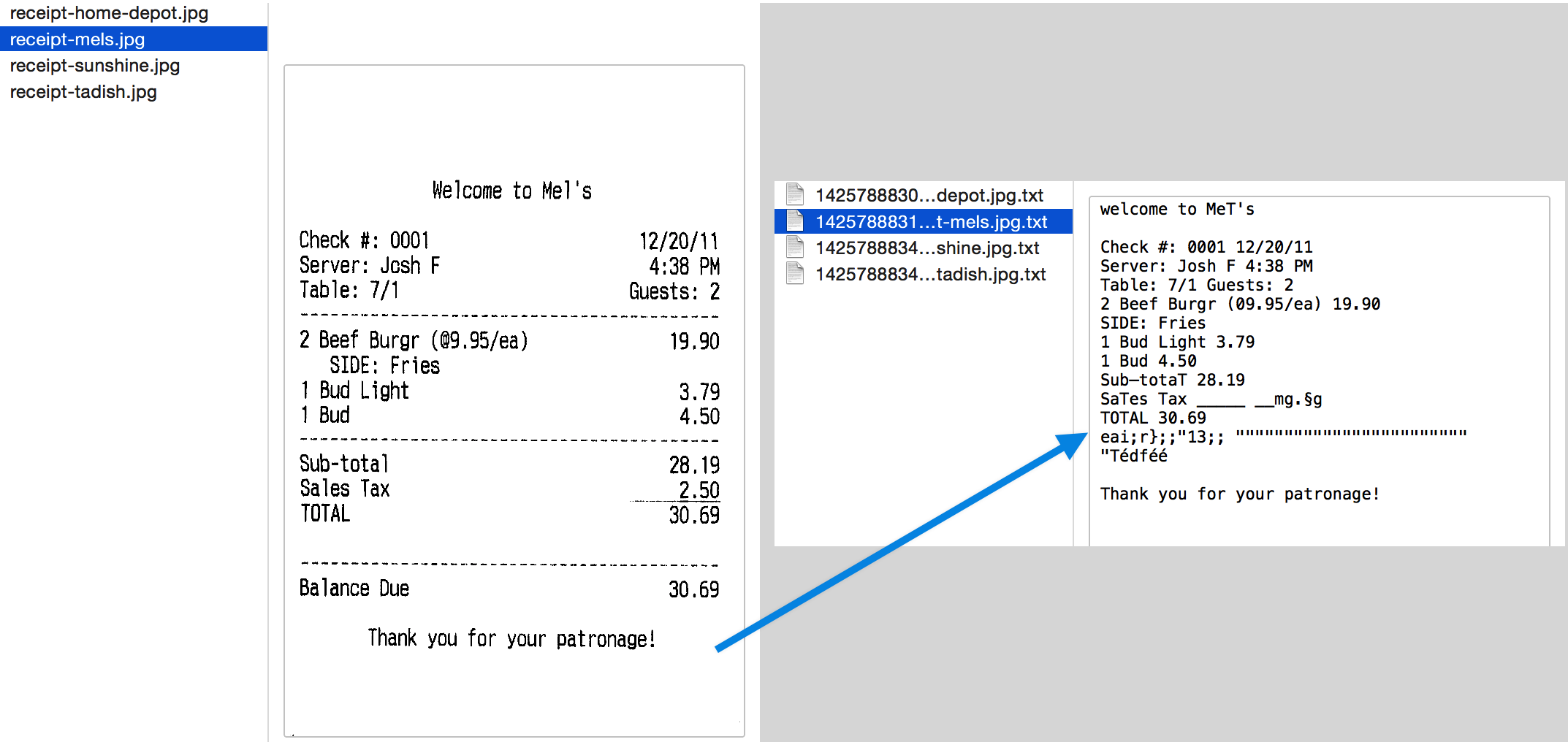
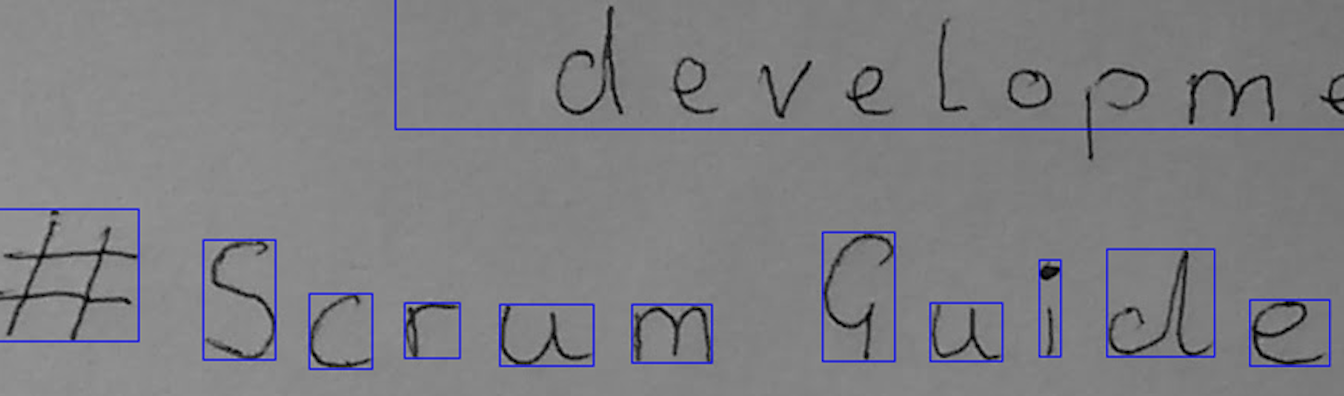
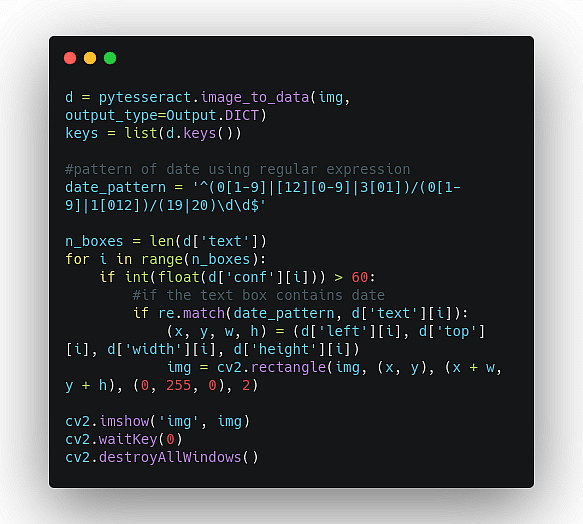
Tesseract OCR is the most widely used open-source OCR engine.
Strengths:
- Free and open-source
- Easy to integrate
- Works offline
Limitations:
- Weak on cursive handwriting
- Requires heavy tuning
- No built-in document intelligence
Best for: Basic OCR use cases.
Where PreOCR Fits in Handwritten OCR
PreOCR is not just another OCR engine.
It solves a different problem first:
🔍 Detect Scanned vs Digital PDFs
Many pipelines blindly run OCR on all documents — wasting compute.
PreOCR:
- Detects if OCR is required
- Runs only when necessary
- Optimizes CPU usage
- Reduces cost and infrastructure load
Then you can plug in:
- Google Vision
- DeepSeek OCR
- Tesseract
- Any custom model
PreOCR acts as an intelligent pre-processing layer.
Comparison Table
| Tool | Handwritten Accuracy | Cost | Compute | Best Use |
|---|---|---|---|---|
| MinerU | Medium | Medium | Heavy | Structured PDFs |
| Google Vision | High | High | Cloud | Enterprise |
| DeepSeek OCR | High | Medium-High | Heavy | AI reasoning workflows |
| Tesseract | Low-Medium | Free | Light | Basic offline OCR |
| PreOCR | Detection Layer | Free/Open | CPU | Optimize pipeline |
Which OCR for Handwritten Should You Choose?
Choose based on your need:
- 🏢 Enterprise scale → Google Vision
- 🤖 AI-native system → DeepSeek OCR
- 💻 Offline lightweight → Tesseract
- 📊 Structured document parsing → MinerU
- ⚙️ Cost-optimized intelligent routing → PreOCR
Final Thoughts
Handwritten OCR is no longer just about extracting text.
It’s about:
- Detection
- Optimization
- Intelligent routing
- Cost efficiency
- Workflow integration
The smartest architecture today is:
Document
↓
PreOCR Detection
↓
Handwritten OCR Engine
↓
Post-processing
↓
Structured Output